You own the audiobooks. Now they are in order.
Files scattered across folders, eating all your storage. Akoue gathers them into one tidy catalog — authors, series, narrators, covers — keeps it in your iCloud and plays it properly. No subscriptions, accounts or ads.
akoue[aˈku.e]ah-KOO-ehGreek listen
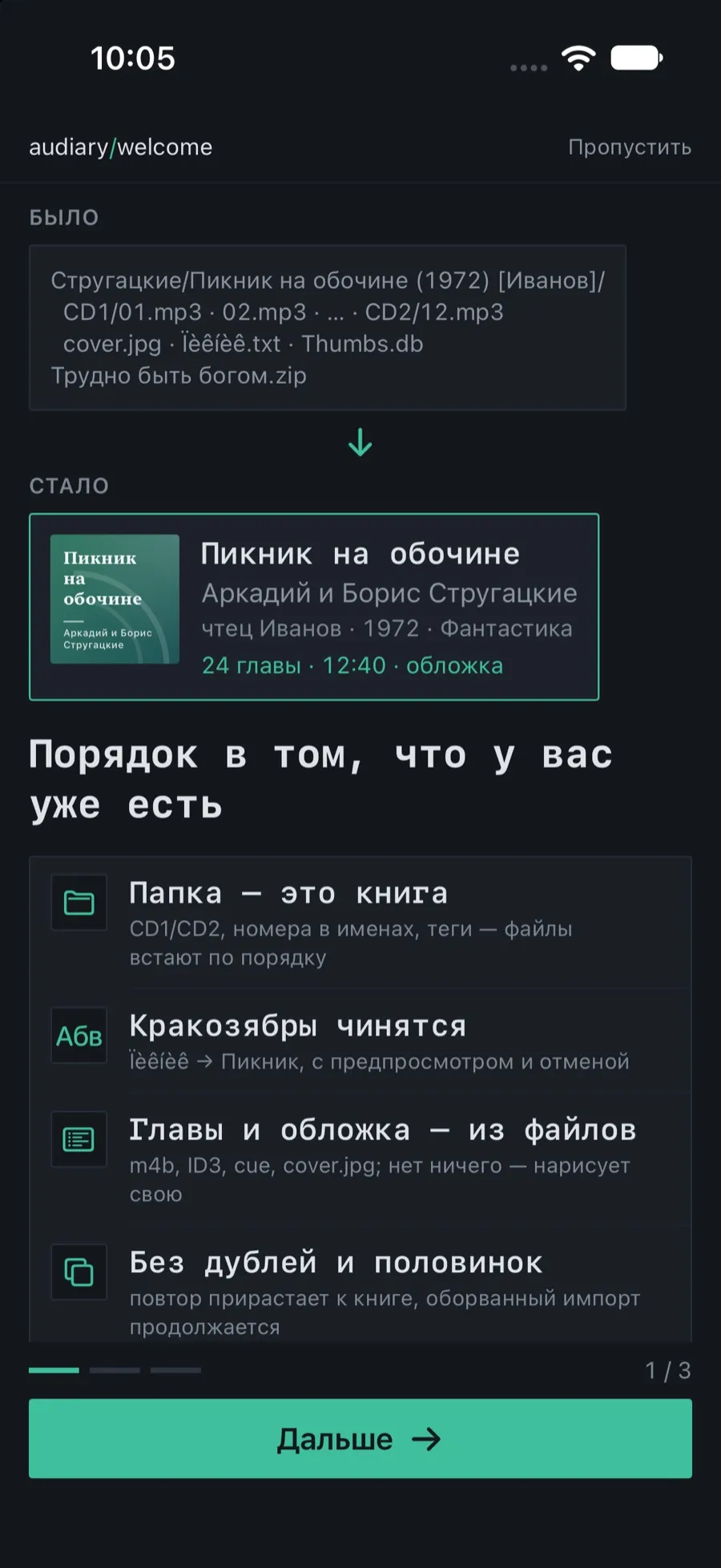
You downloaded a pile of files. You get a book
A folder of MP3s, an archive from your home server, a dozen loose files, a link in the cloud — ten audio and seven text formats. Akoue works out where one book ends and the next begins, puts the chapters in order, and finds the author, the series and the cover.
- A folder is a book; “Disc 1” and “Disc 2” are joined; a folder of subfolders becomes a set of books
- Chapter order is natural: 2 before 10. It understands “Chapter 1”, “CD1-03”, “part_02”
- Author, title, series, year and genre are read from the folder name; bitrates and release groups are cleaned out with a preview
- ZIP unpacks itself, and non-Latin names inside survive. Importing again never creates duplicates
- By reference, without copying: the book stays in iCloud Drive or a third-party cloud, and files download on demand
- In the background, with a report and undo; an interrupted import resumes after a restart
Authors, series, narrators, genres. What you need in seconds
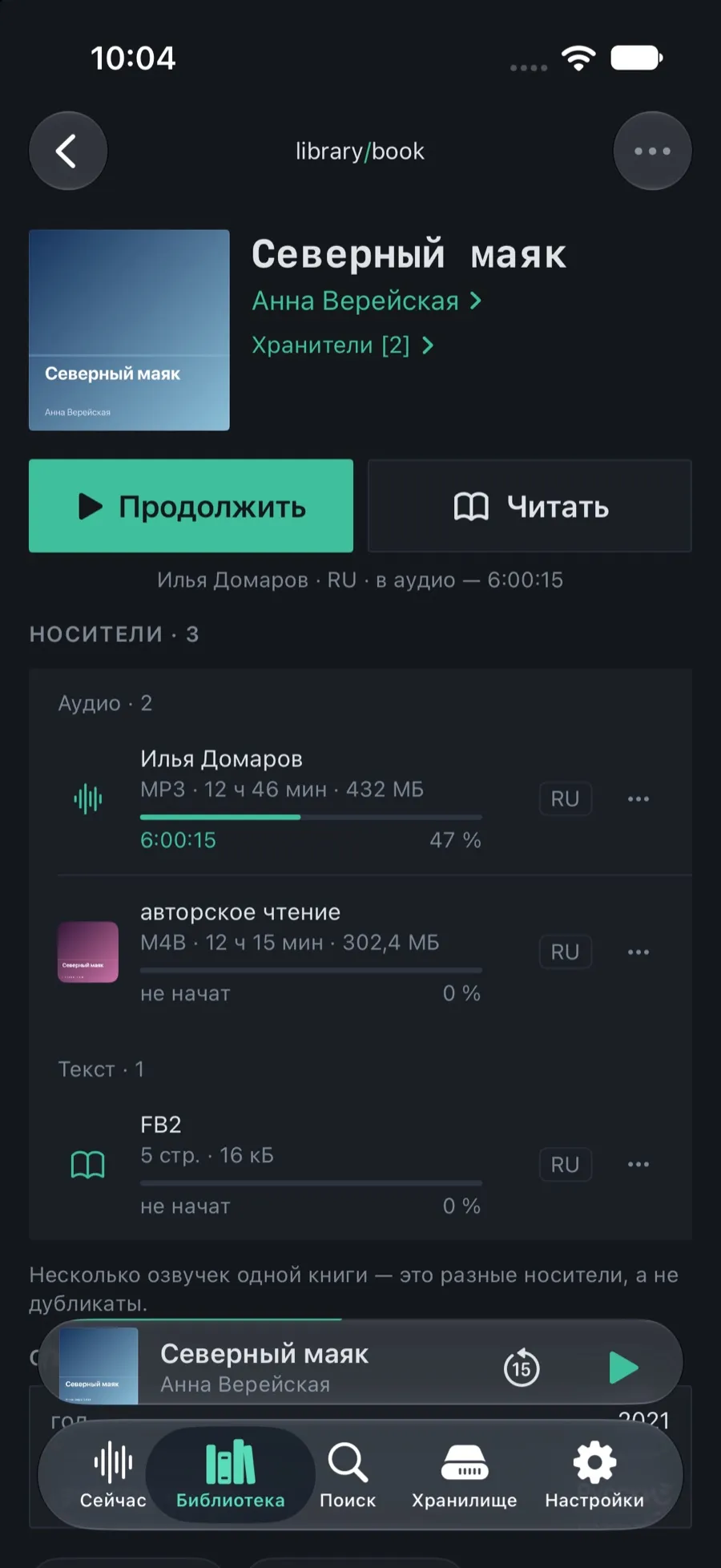
A library organized like a library: an author has a card and their books, a series shows its volumes with the gaps visible, a narrator has a glossary of their own. Eleven sort orders, sixteen filters, a genre tree, tags and smart shelves — and a search that forgives the wrong keyboard layout and transliteration.
- dtlmvfr and vedmak both find “Ведьмак”; with no exact match, it corrects the typo. Books show up in Spotlight too
- Several narrations and a text edition of one book live side by side, each with its own progress: listen to one, read the other
- Ïèêíèê íà îáî÷èíå → “Пикник на обочине”: Cyrillic is repaired from broken encodings in one tap, with a preview
- Edits never touch the files on disk; “Restore original” sits next to every field. Selected books are edited at once: author, series, numbering
- The cover comes from a tag, a file next door or the folder; your own from Photos or the camera. Deleted items wait 30 days in the trash
A hundred files play as one book
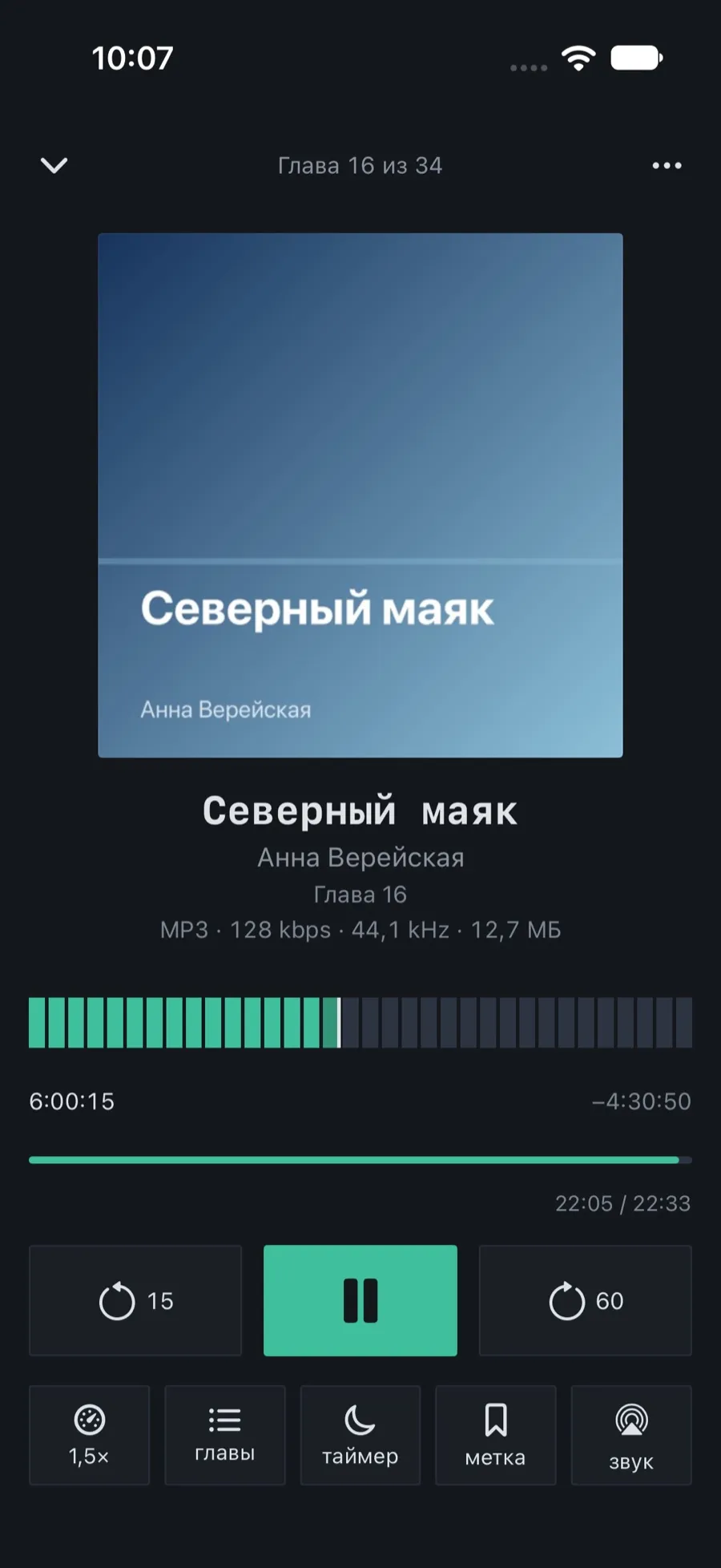
A music player loses its place in a book of a hundred files, knows nothing about chapters, rewinds to the wrong spot and distorts the voice when sped up. In Akoue a book has one continuous timeline, chapters from M4B, tags and cue files, and speed that leaves the voice intact.
- The position never breaks between files and survives a phone call, a change of headphones and a restart
- Skip back and skip forward are set separately; after a pause the book rewinds on its own, further the longer you were away
- Speed 0.5×–3× without distorting the voice; a separate speed for a particular narrator
- The sleep timer counts listening, not clock time: end of chapter, time left in the Dynamic Island, and the position rolls back when it fires
- Bookmarks in one tap — from the Lock Screen too; their notes are searchable across the whole library
- Finished a volume? The next one in the series starts by itself
On the phone — what you are listening to. The rest waits in your iCloud
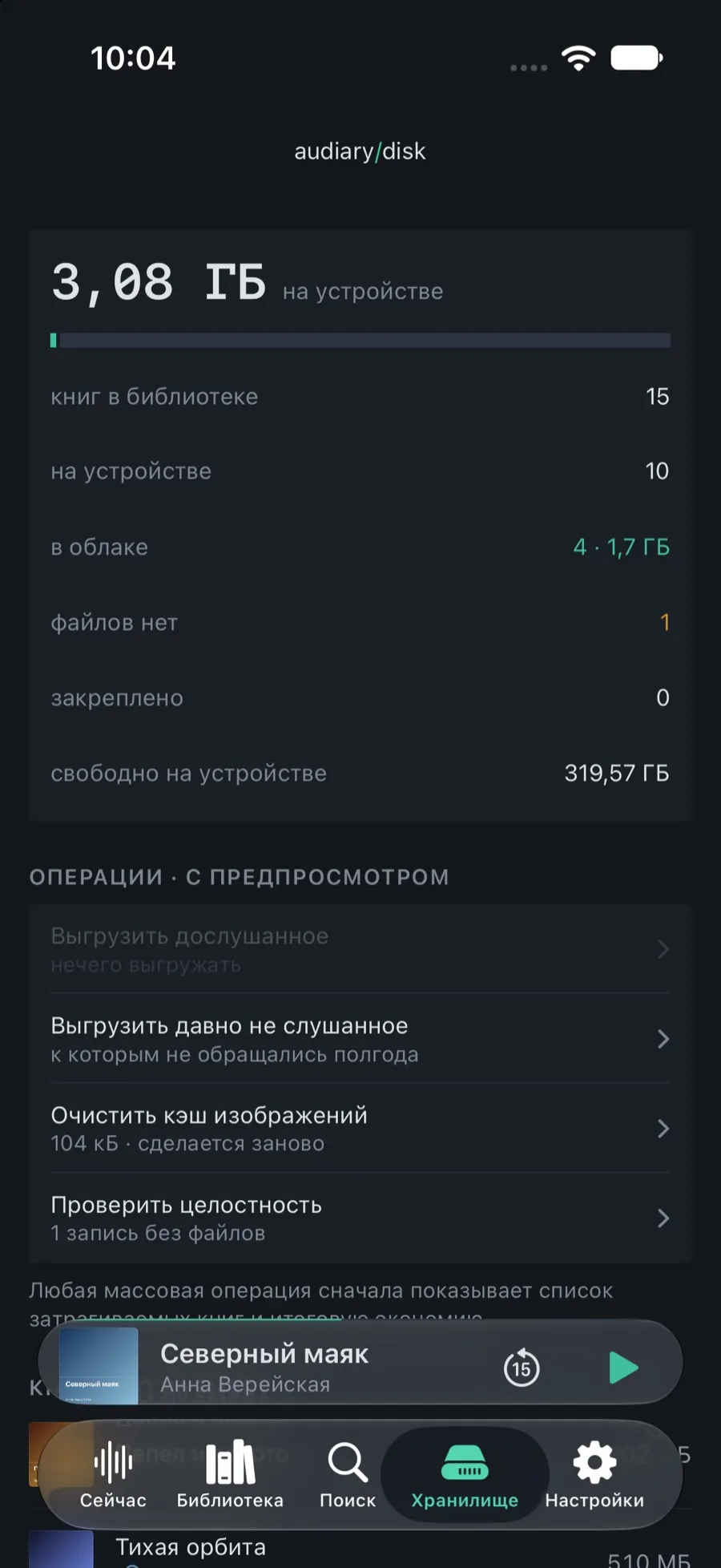
Finished books move themselves to your own iCloud Drive, not someone else’s cloud, and free up storage. Bringing one back is one tap: the book plays while it downloads. Position, bookmarks and catalog edits travel between iPhone and iPad — pick up either and continue from the same second.
- A local file is never deleted until the cloud copy is confirmed. That is a rule, not a setting
- Bulk cleanup: everything finished, or books older than N days, with a “frees up N GB” preview; Wi-Fi only
- Sync runs in the background and offline with deferred sending; if iPhone and iPad disagree by more than a minute, the app asks instead of deciding for you
- The next volume in a series is fetched from the cloud ahead of time
- The Storage screen: total size, the largest books, what is on the device and what is in the cloud. Backup, export to JSON and CSV, integrity check — free
Everything you need to listen and catalog, with no book limit and no time limit. Pro is for good with one purchase, or yearly.
No analytics, no ads, no third-party SDKs. The only network the app ever sees is your iCloud.
The network is only ever your iCloud: move a book out, bring it back, hand the position to another device.
The catalog in JSON and CSV, a backup in one file, and the audio always sits there as ordinary files.
Numbers that exist in the code
Nothing estimated: every line can be checked in the app.
- audio
- No conversion: mp3 · m4a · m4b · aac · flac · wav · aiff · alac · caf · opus
- text edition
- Built-in reader for epub · fb2 · txt · md, system viewer for pdf · rtf · docx
- chapters
- From M4B, ID3 tags and .cue; editable by hand
- cover
- From a tag, a file next door or the folder. None at all — Akoue draws one
- archives
- ZIP unpacks itself; Cyrillic names in CP866 and CP1251 inside survive
- speed
- 0.5×–3× in steps of 0.05, without distorting the voice
- catalog
- 11 sort orders · 16 filters · smart shelves
- search
- Survives the wrong keyboard layout and transliteration: dtlmvfr and vedmak both find “Ведьмак”
- languages
- 5 — English, Russian, German, Spanish, French
- network
- Your iCloud only. Accounts 0, analytics 0, ads 0
Three steps from a folder to a book
Bring it in
A folder from Files, an archive, a link to the cloud, Share from any app, AirDrop. Or drop it into the Akoue folder in Files — it is picked up by itself.
Check
The import report: what came together by itself, what is worth confirming. A doubt about the author or the title is one screen, pre-filled. Everything can be undone.
Listen
From where you stopped. With Pro — on any device, and finished books move themselves to your iCloud.
The book at hand without taking the phone out
Behind the wheel, in the kitchen, out on a run: pause, skip and the sleep timer without unlocking the device. All of it free: what you reach for at an awkward moment is not something to lock behind a price.
- Lock Screen
- Dynamic Island and Live Activity
- Widgets with buttons
- Control Center
- Action button
- Siri and Shortcuts
- Spotlight
- Headphones and AirPlay
- CarPlay
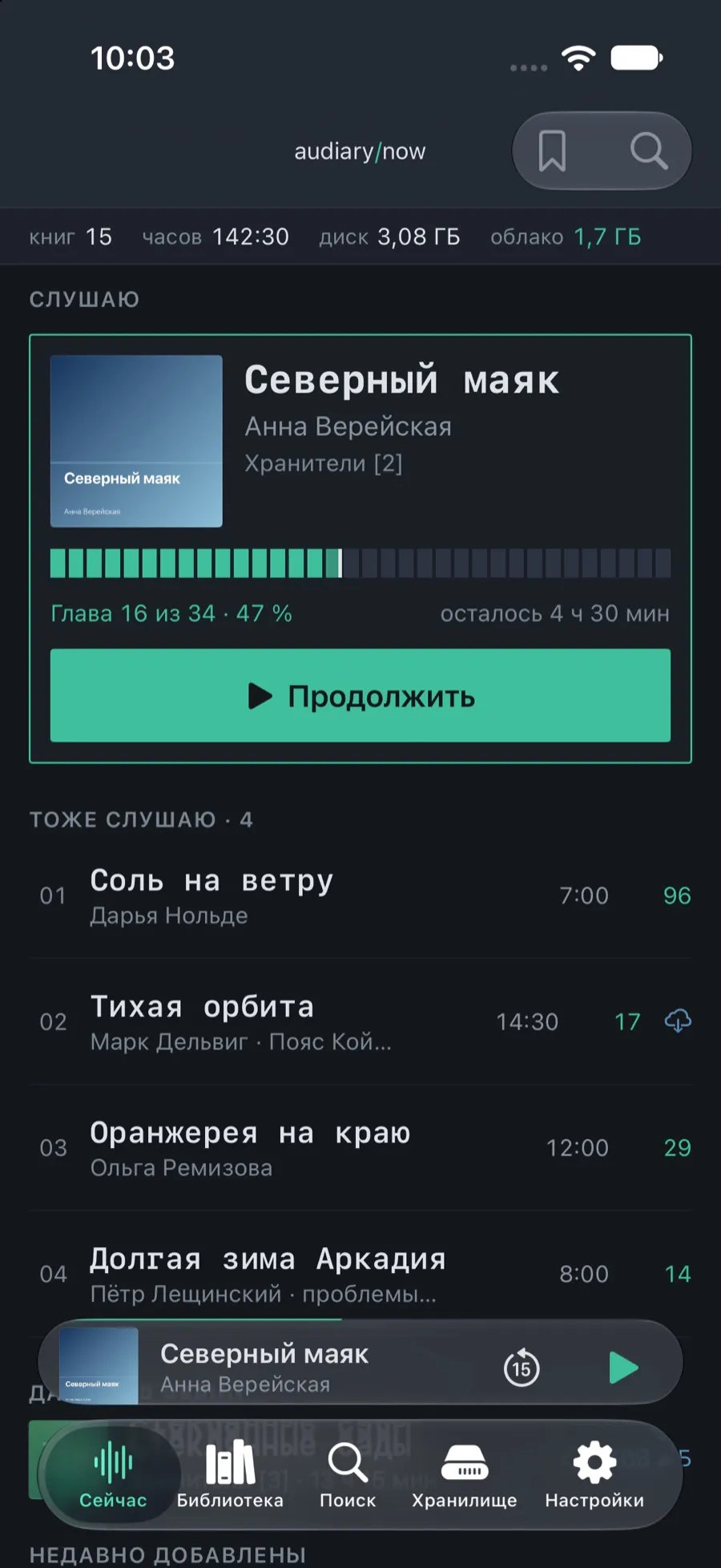
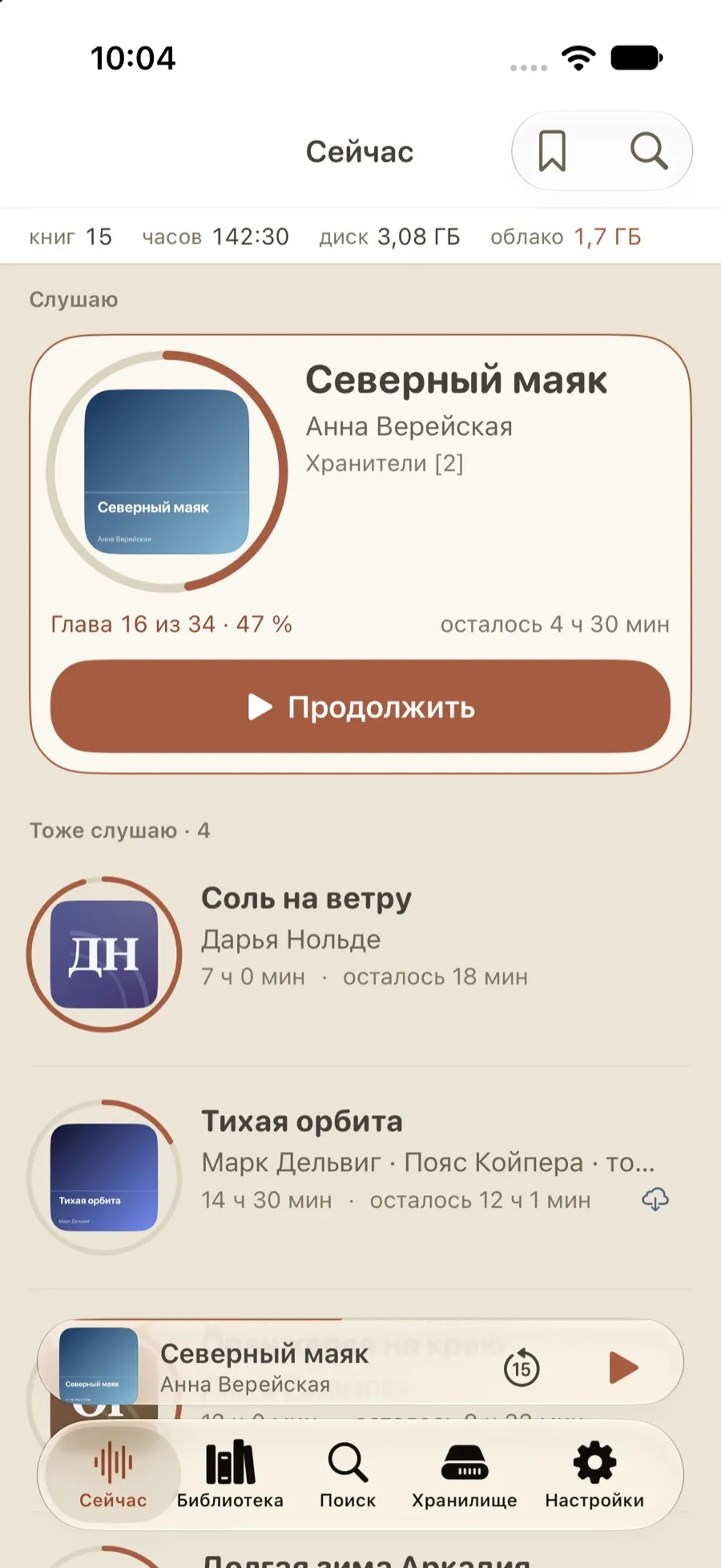
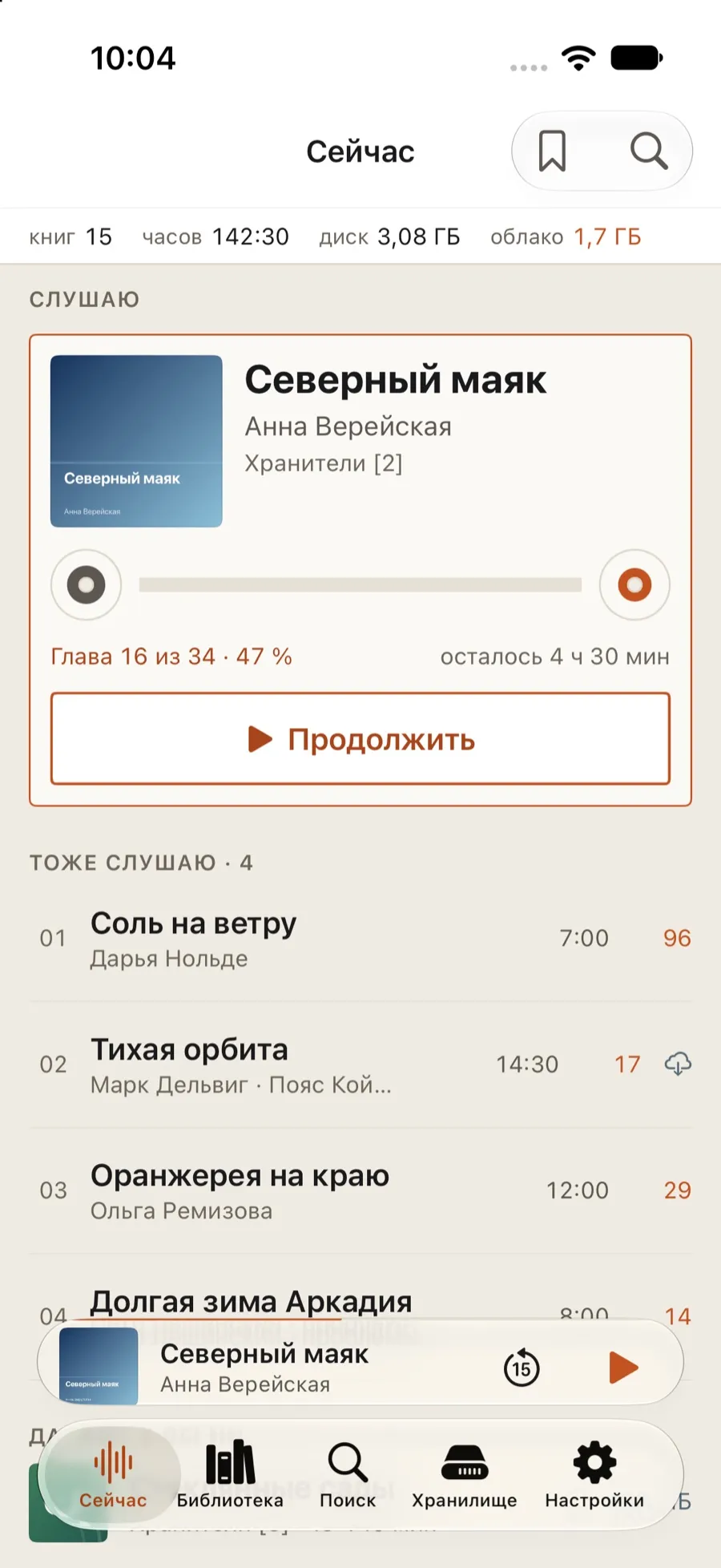
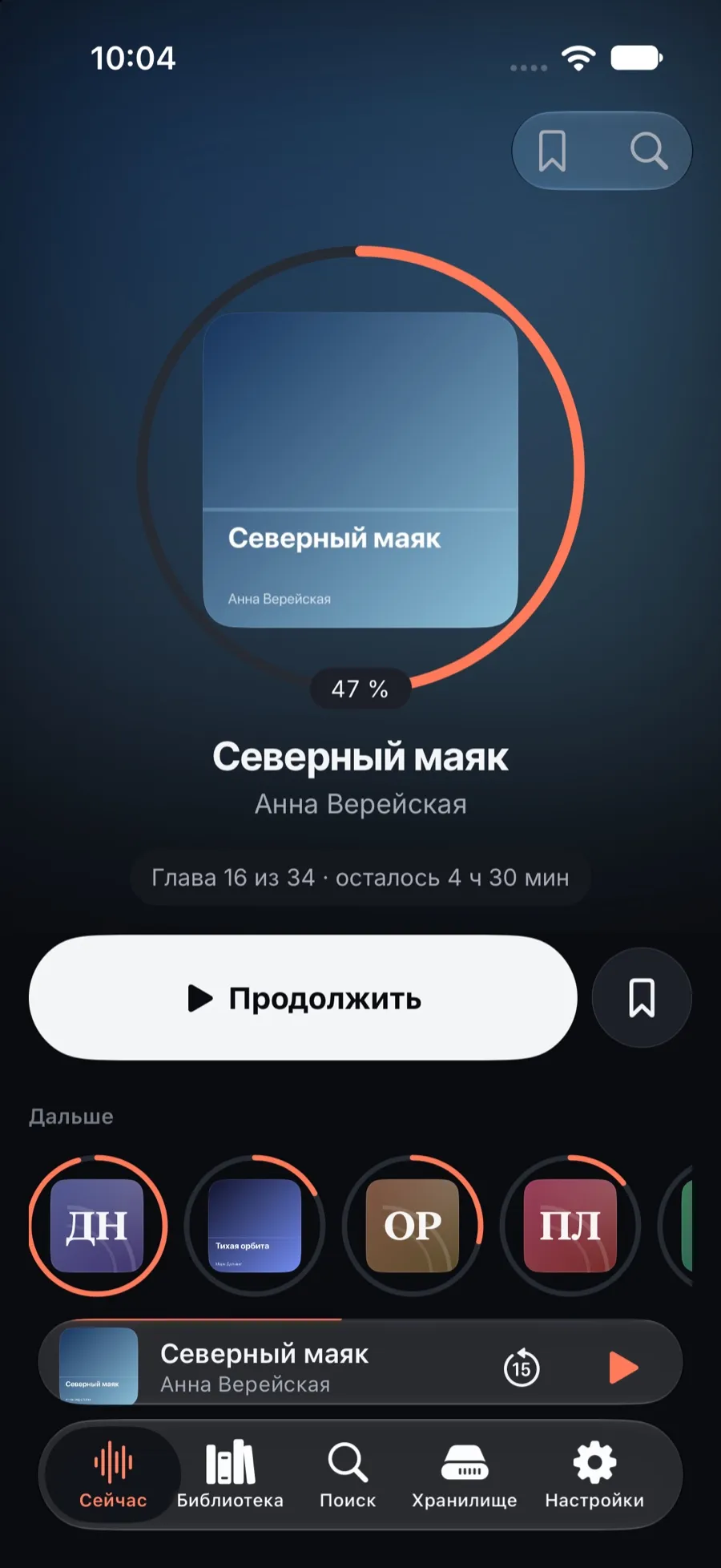
Four themes, one book
A theme changes the form, never the capabilities. Terminal is free, the other three come with Pro.
Free to listen. Pro to run a large collection
Nothing about data safety, accessibility or security ever moves into Pro. If you would rather not rent your own books, Pro for good comes first.
- Import folders, archives, loose files and cloud links: Files, iCloud Drive, AirDrop, Share
- Catalog: authors, series, narrators, a genre tree, tags, smart shelves, every field editable with “Restore original”
- Encoding repair, several narrations and a text edition of one book
- The whole player: chapters, skips, speed, sleep timer, bookmarks, smart rewind, the next volume by itself
- Reader, search that forgives the layout and transliteration, Spotlight
- Lock Screen, widgets, Dynamic Island, Control Center, Siri, CarPlay
- Backup, export to JSON and CSV, integrity check
- Five languages, VoiceOver and Dynamic Type
- Move books to your iCloud Drive: a book plays on tap, downloading chapter by chapter · auto-cleanup · Wi-Fi only
- Sync between iPhone and iPad: position, bookmarks, catalog edits, history
- Bulk cleanup with a “frees up N GB” preview
- The next volume in a series fetched from the cloud ahead of time
- Silence skipping and volume leveling
- Author merge: “Tolkien, J. R. R.” and “J.R.R. Tolkien” become one person
- Statistics and a year in review, author profiles
- Three extra themes: Fluid, Tape, Aura
Pro for good with one purchase, or yearly for as long as you need it. Both work on all your devices, family included. The lifetime option is never going away. There is no book limit and there never will be. Your local price is shown in the App Store.
What people ask before installing
Where do the books come from?
From your files: folders, archives, iCloud Drive, any Files provider, AirDrop, Share. Akoue does not sell or download books.
Is this like Audible?
No. Audible sells you books and lets you listen to them; Akoue puts the ones you already own in order. Audible files (AAX) are protected, and Akoue does not open them.
One book has two narrations and a text edition. Are those duplicates?
No, they are editions of one book. They live in one card, each with its own progress and its own storage state: you can listen to one narration and read the text of the same book. Deleting an edition does not delete the book.
Titles from the internet are all garbled. Can you help?
Yes. Akoue guesses the broken encoding and shows the possible readings with a preview before anything changes. Apply it to one field, the whole book or the whole batch; the original can always be restored.
Why is there a subscription if you have no servers?
The yearly plan does not pay for servers — there are none. It pays for development: the updates it is renewed for. If you do not want a subscription, buy Pro for good — that option comes first and is not going away.
What happens when the subscription ends?
Pro features close, your data does not: books moved to iCloud come back to the device for free and play; the catalog, bookmarks, statistics and edits stay. Renew or buy for good and everything opens up where you left it.
All questions
What if I never buy Pro?
Everything you need to listen to books and keep them in order stays: unlimited import, catalog, player, reader, search, widgets. Pro is for when the collection no longer fits on the phone, or you have more than one device.
Which is better value: for good, or yearly?
Buying for good costs a little over three years of the yearly plan. If you listen constantly and the collection is large, for good is cheaper; if you want to try a year, take the year — you can still buy for good later, and the year was not wasted: Pro worked the whole time.
How many books can I add?
As many as you like. There is no limit in the free version or in Pro, and there will not be one.
Do catalog edits change my files?
No. The original tags are kept separately from your edits, the files on disk are left alone, and “Restore original” sits next to every field. Tags are never written back into the files.
Does it work without the internet?
Yes, entirely. The network is only needed for your iCloud: to move a book out, bring it back, or hand the position to another device.
Where do my files go when they are moved out?
Into the Akoue folder in your own iCloud Drive; you can see it in Files. The local file is deleted only after the cloud has confirmed the copy. Bringing a book back is one tap — it plays right away, downloading chapter by chapter.
Will my iCloud be big enough?
The free 5 GB will not hold a collection; moving books out is a deliberate choice and is off by default. The app shows the size before it starts and tells you if iCloud ran out of room — the files stay on the device in that case.
What do you know about me?
Nothing. No accounts, no analytics, no advertising or third-party SDKs. A diagnostic report is sent only at your request, and you see it before it goes.
How do I take my data with me?
The catalog exports to JSON and CSV, a backup is a single file, and the audio always sits there as ordinary files.
Is there Family Sharing?
Yes, on both purchases: one for the family group.
I am in Russia. How do I buy Pro?
The app is available in the Russian App Store, and everything you need to listen to books works free and without a time limit. But from 1 April 2026 Apple no longer accepts payment there: Pro for good and yearly renewals can only be paid from an Apple Account balance or with a code bought earlier. We have no other way to take payment and will not have one — those are the App Store rules.
Is there an Android or Mac version?
No. iPhone and iPad; Mac is in the queue, with no promises about dates.
Why not look covers up on the internet?
Because that would mean going online, and we promised not to. The cover comes from the file, the folder, or Akoue draws one; you can set your own from Photos or the camera.